Key Event Information
Competition dates:
- Thursday 22-10-2026
- Friday 23-10-2026
- Saturday 24-10-2026
- Sunday 25-10-2026
Venue: Zwemcentrum Rotterdam
City: Rotterdam, The Netherlands
Course: Short course (25m)
Electronic Time system: Omega
Video Assistant Referee: No
Qualification limits: Can be found in the competiton pack
Schedule and time table
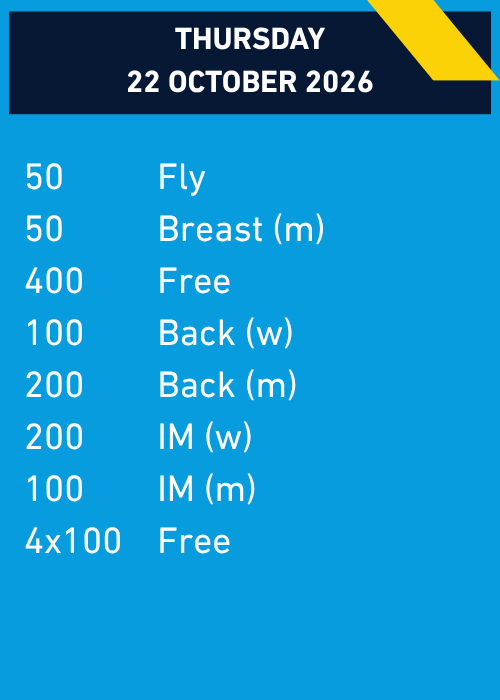
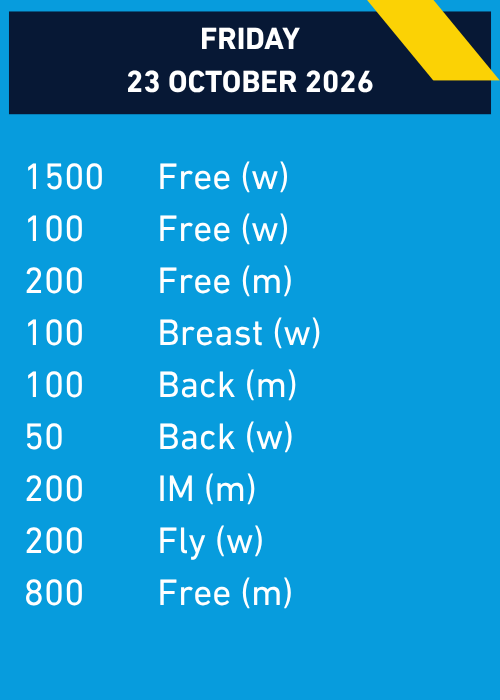


Competition Pack
Entries
Final entry deadline is Tuesday, 13 October 2026 23:59. (CET)
Entries need to be submitted as Lennex data file created with the Splash Entry editor en send to the competition secretariat.
Dutch athletes can only be registered by their respective club.
Detailed instructions for submitting entries
To submit your entries, please use the Splash entry editor. In case you are not an licensed user of Splah, you can download the free version of the entry editor here.
Install the software on your computer. Go to File > Select Language and choose your preferred language.
Upload the invitation (lxf) file to Entry Editor: File > Open. You will now see the screen where you can select and open the file.
Go to the folder where you saved the invitation (.lxf) file and open the file.

Click on the Events tab. The following screen will be displayed:
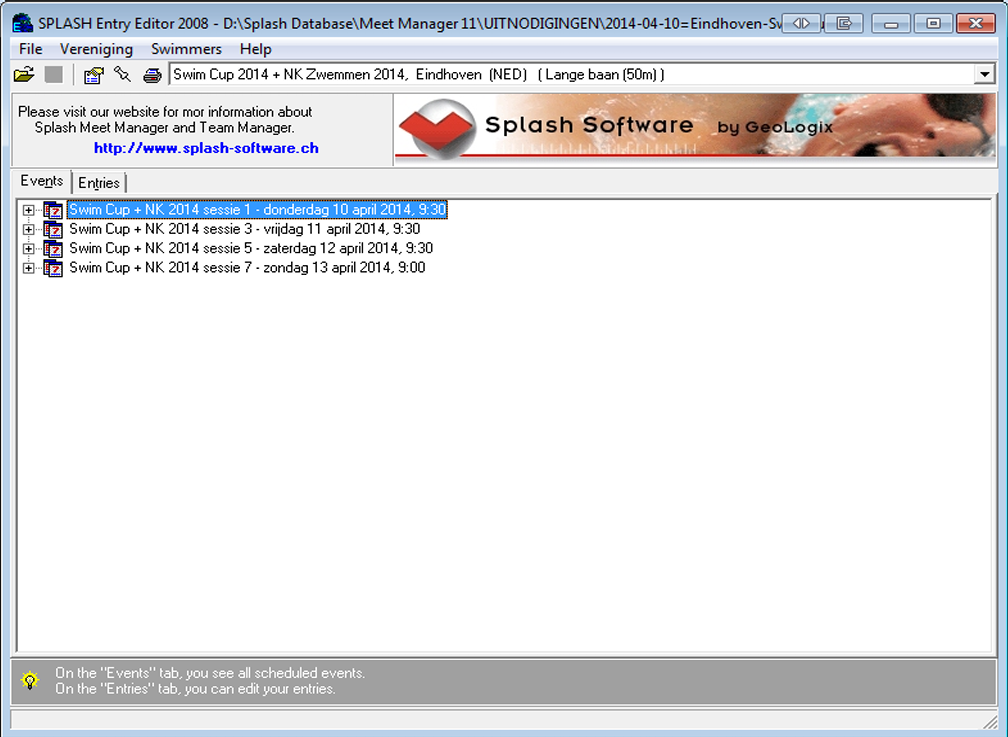
This screen shows all sessions and events that will be swum during the championships. Click on the Entries tab, then go to the menu and select Club > New. The following screen will then be displayed:

Enter all of your club’s data and click OK.
Then go to Swimmers/New. You will get the following screen:
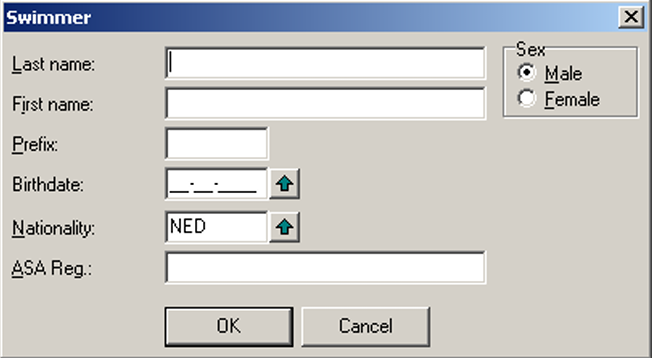
On this screen, enter the details of the swimmer you wish to register. Repeat this procedure for all swimmers you want to enter.
Select the swimmer you want to enter and go to Swimmers > Entries. The following screen will then be displayed:

You can see all events in which the swimmer is eligible to participate, provided that the swimmer meets the criteria stated in the conditions outlined in the Competition Pack.
Enter the required details for the events in which the swimmer should be entered and click Save. Repeat this procedure for all swimmers you are entering.
Once you have completed all entries, you can create the entry files that must be sent to the entry address. This includes two files: an .lxf file and a .pdf file.
First, create the LENEX file.
Go to File > Save. The following screen will be displayed:

Save the file using the following file name format:
2026-10-23=<clubname>-DQ-Rotterdam-inschr.lxf
If you would like to make changes to your entry later, you can reopen this file in Splash Entry Editor.
Next, create the PDF file.
Go to File > Print Entries. The following screen will then be displayed:
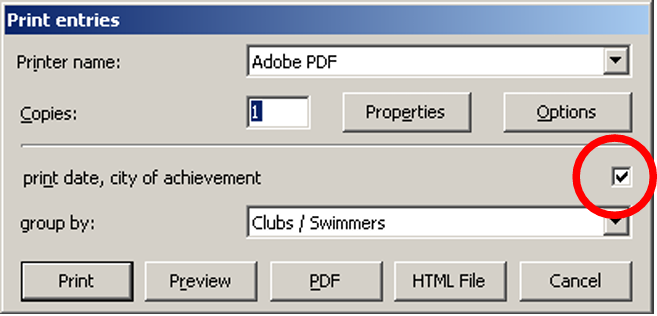
Make sure that the Print date etc. option is checked and that Group by is set to Clubs / Swimmers.
Click on PDF and save the file using the following file name format:
2026-10-23=<clubname>-DQ-Rotterdam-inschr.pdf
The created files must be sent with the subject line “Entry DQ + <your team name>” to:

Sign up for updates
Enter your details below to get notified when the competition pack and qualifications limits are published.